Where to drop off old electronics and what to do first
Find a local electronic waste drop off location for your old electronics, and learn the steps to wipe your data and remove the batteries safely before you go.
- Written and checked byHazel Pruett
- 5 minutes to read it all
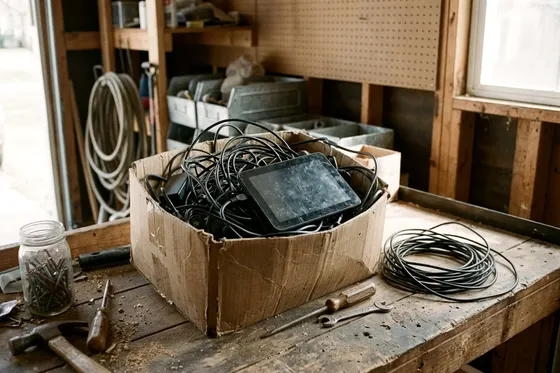
Your old TVs, phones and laptops can go to manufacturer take-back programs, retail stores or local community drop-off sites. Preparing them properly means wiping your personal data and pulling out the removable battery. Take-back and drop-off options often exist locally to keep electronics out of the trash.
Check whether the maker or store takes it back
The EPA says manufacturers and retailers offer several options to donate or recycle electronics. Some stores have collection bins near the entrance, and each store decides which small items it accepts. Gathering loose cables from your home office clears out valuable desk space almost instantly.
Larger items require a conversation with an employee at the customer service desk. Some retailers accept larger items such as desktop computers and televisions, and some limit the number of items or charge a fee, so ask before you go.
Some computer makers offer a mail-back program for old laptops, so check the maker's site. You pack the broken machine in a cardboard box, attach the printed label and hand it to a delivery driver. Checking the brand website can point you to an electronic waste drop off location or a mail-in form. Taking advantage of these retail programs saves you a trip to the municipal dump.
Use a state or community drop off program
Some county governments run collection sites for household electronics and hazardous materials. A municipal recycling center often maintains a separate shed or shipping container specifically for electronics. You pull your car up to the drop-off zone and hand the old screens to the yard attendants.
County programs sometimes host special collection events in large parking lots during the spring and fall. These weekend drives take everything from old desktop towers to dead printers. Volunteers unload the heavy monitors straight from your trunk to keep the line of traffic moving. Some events ask for proof that you live in the county.
Some programs charge a fee for bulky items such as older televisions, so check the program's website before you go.
A town without its own facility may share one with a neighboring municipality. The local government website lists exact drop-off dates and acceptable items. You can review what to expect when you visit a hazardous waste facility to prepare your vehicle.
Wipe your personal information first
The EPA advises deleting all personal information from electronics before donating or recycling them. A dead phone or old computer can still hold your passwords and banking details. A simple file deletion can leave the data on the drive, so run a factory reset or the maker's erase tool.
The settings menu on most smartphones offers an option to erase all content and settings. Selecting this option and entering your passcode starts the reset, and the maker's instructions cover the steps for your model. Pull out the SIM card and any memory cards before you hand the phone over.
Many laptops need a factory reset or an erase tool from the maker to clear the drive. Downloading a secure erase tool to a USB drive allows you to run it before you recycle the machine. A broken screen can make software erasure hard. You can remove the hard drive from a dead laptop with a small Phillips screwdriver.
Many laptops have an access panel on the underside, but layouts vary, so check the maker's instructions or ask a repair shop to remove the drive.
You can keep a removed drive in a desk drawer, or ask the recycler how they handle drives.
Take the battery out and handle it separately
Small gadgets run on removable batteries that require their own separate recycling path. A dead television remote or a standard wireless mouse holds regular alkaline batteries. Sliding the plastic door open lets you pop the batteries out with your thumb. Removing the batteries can prevent leaks from damaging a device you plan to donate.
Older laptops feature a heavy battery pack that snaps out of the bottom case. Pushing the sliding release latches lifts the heavy plastic block away from the computer. Pulling out a removable battery lets you recycle it separately, and the recycler can tell you how to pack it for the trip.
Some hardware stores and community centers accept batteries for recycling, so call ahead to confirm. A warped case or a screen lifting off can signal a damaged battery. Stop using the device and ask your local hazardous waste program or the recycler how to handle it.
Never put lithium batteries in the trash or recycling
The EPA says lithium-ion batteries and devices containing them should not go in household garbage or recycling bins. A standard garbage truck tightly compacts the collected trash and crushes everything inside. Crushed lithium cells can spark and start fires inside the truck.
Your curbside recycling bin is meant for the materials your local program lists. Workers at the sorting plant can face fire risks from hidden batteries. A battery fire at a sorting facility can disrupt the whole recycling program. You cannot spot a damaged battery once it enters a massive pile of cardboard and plastic.
Wireless headphones, electric toothbrushes and smart watches often contain sealed lithium-ion cells. The batteries are sealed inside the plastic shells and are usually not meant to be removed at home. These complete items must go directly to a dedicated electronic waste drop off location.
Proper handling helps keep sanitation workers safe and can prevent facility fires. Keeping hazardous items out of the bin helps you shrink what your household throws out.
Donate a device that still works
A slow home computer or an older smartphone can often still help someone else. Some local charities and thrift stores accept working electronics to sell or give to families in need. Providing the original charger and ensuring the device powers on prepares the item for a new home. A quick plug-in test at your kitchen counter proves the gadget still functions properly.
Some charities and shelters take working cell phones, so ask which models they can use. Public schools sometimes accept gently used touch tablets for their younger student classrooms. Calling the charity first confirms they have space for your specific model.
Some organizations do not take older televisions, so call before you load the car. Wiping the screen with a dry microfiber cloth and untangling the power cord prepares the monitor for donation. Handing off a clean, working machine keeps it out of the waste stream.
More to check around the house

6 ways to dispose of old furniture without a junk hauler
Find six low-cost ways for furniture disposal without a junk hauler, from city bulk waste drop off to state mattress recycling and local donation routes.
5 minutes to read it all

What counts as yard waste and where it can go
Find the right yard waste disposal method for leaves, grass, and branches, from curbside pickup to home composting, and learn what local drop off sites take.
5 minutes to read it all

Before you go to a household hazardous waste facility
Find out what to take to a household hazardous waste facility or collection event and how to pack paints, cleaners and batteries safely.
6 minutes to read it all